

AI swing analysis on your phone
Know in a few minutes what to practise.
Film one swing with your phone. The AI analyser shows what your head, hips and back do, and gives you one focus point with a drill to go with it.
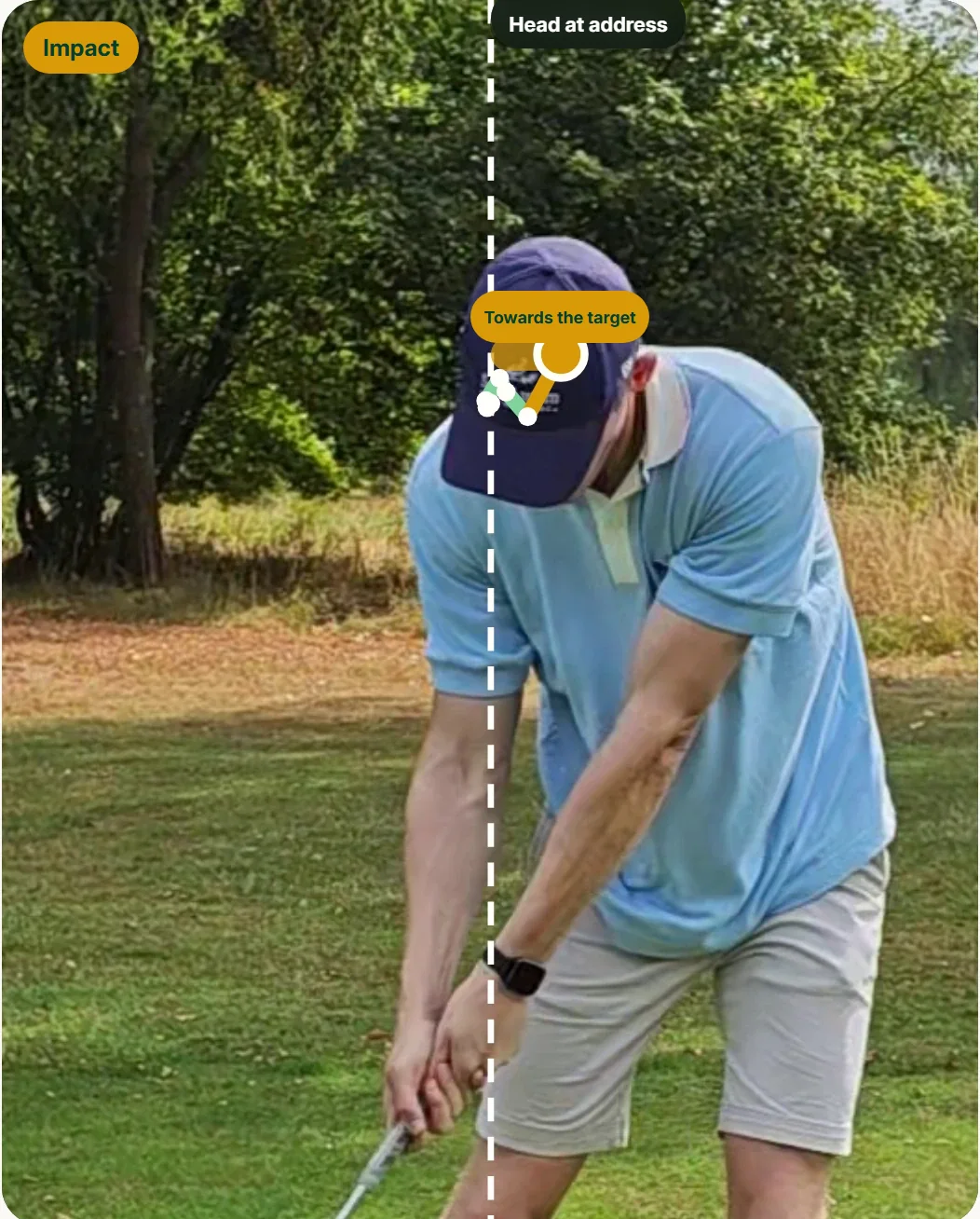
Keep your head behind the ball until after impact.
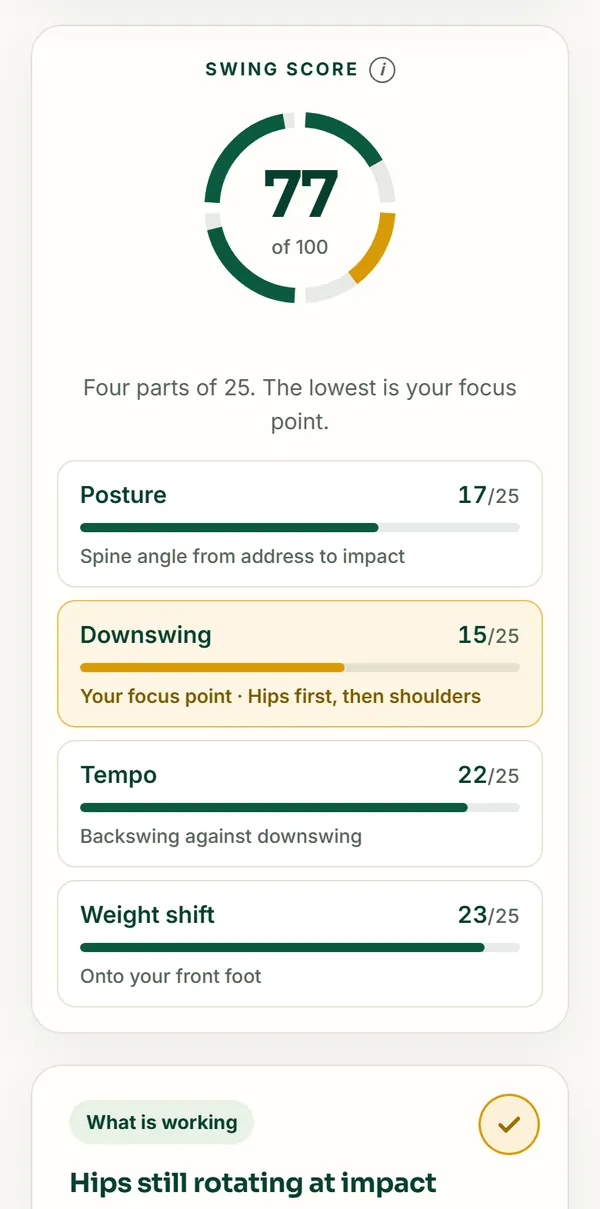
Four parts of 25 points each. Your focus point is marked.
Does your spine angle stay the same from address to impact?
Does your downswing start from your hips?
Backswing against downswing, around 3 : 1.
Does your weight shift forward in time?
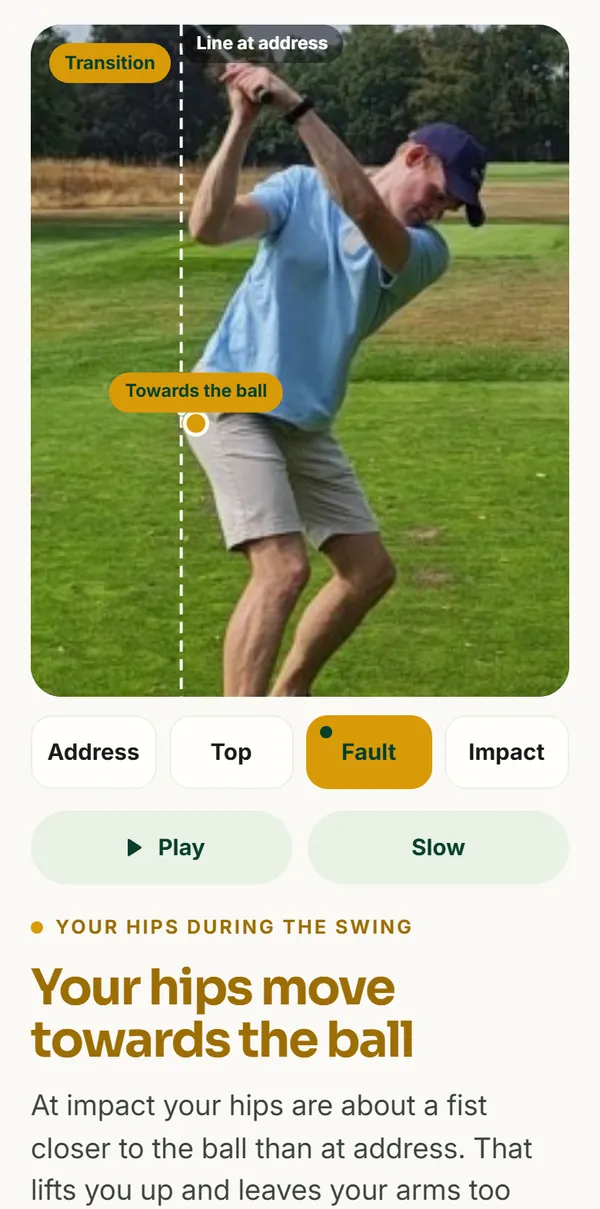
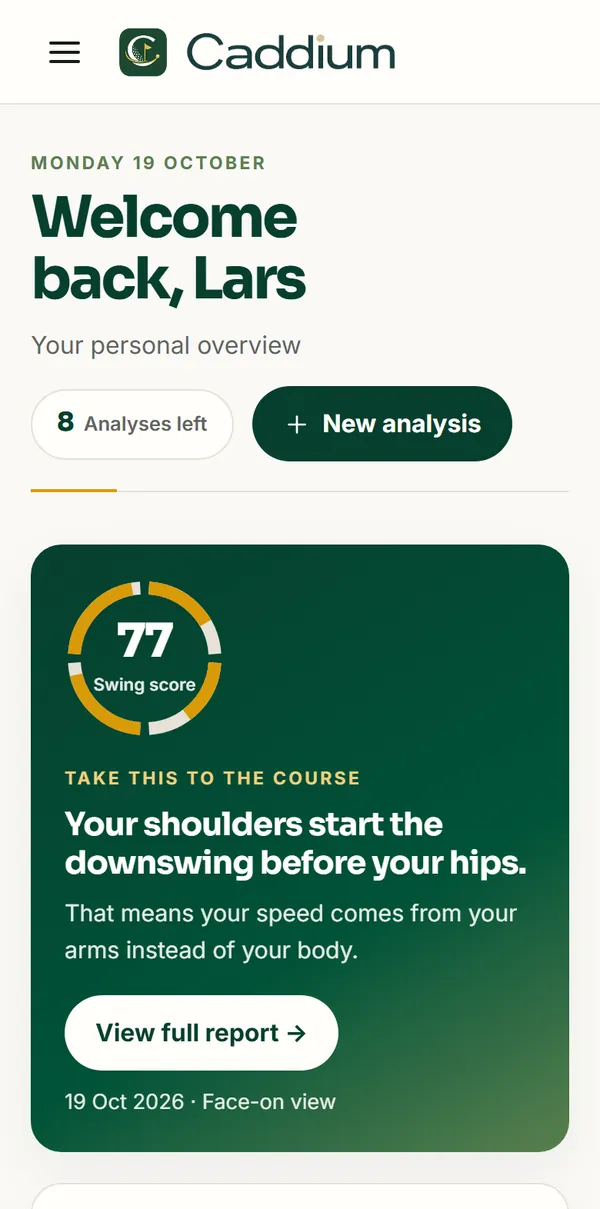
This is what Caddium looks like.
Real screens from the app, from a real swing.
Sound familiar?
You practise, but you don't know if it's the right things.
- You can't feel it. A swing takes a second; what your head, hips and back do then, you can't see yourself.
- You get ten tips. Videos and friends all have an opinion. Which one counts now?
- A lesson isn't every week. Between two lessons you practise with nobody watching.
In every analysis
So here is what you get from Caddium:
- One focus point in view The point with the most influence, drawn on your own swing.
- A drill that fits With a one-sentence swing thought you can take to the course.
- Your analyses saved in one place That way you see after a few weeks whether your focus point really changes.
- A recording check first We check whether your video is usable before we measure, and tell you what you can do better.
What the AI adds
Anyone can film themselves. Knowing what to look for is another matter.
Watching it back yourself
- A swing is over in a second; mostly you see a blur.
- You don't know what to look at, or what is normal.
- You compare by feel, and differently every time.
With the AI analyser
- Finds address, top, impact and finish itself in your video, frame by frame.
- Measures 33 points on your body and compares each moment with your own address.
- Picks the one point with the most influence, with a drill to go with it.
- Measures the same way every time, so you really see whether you're improving.
Can I do this myself?
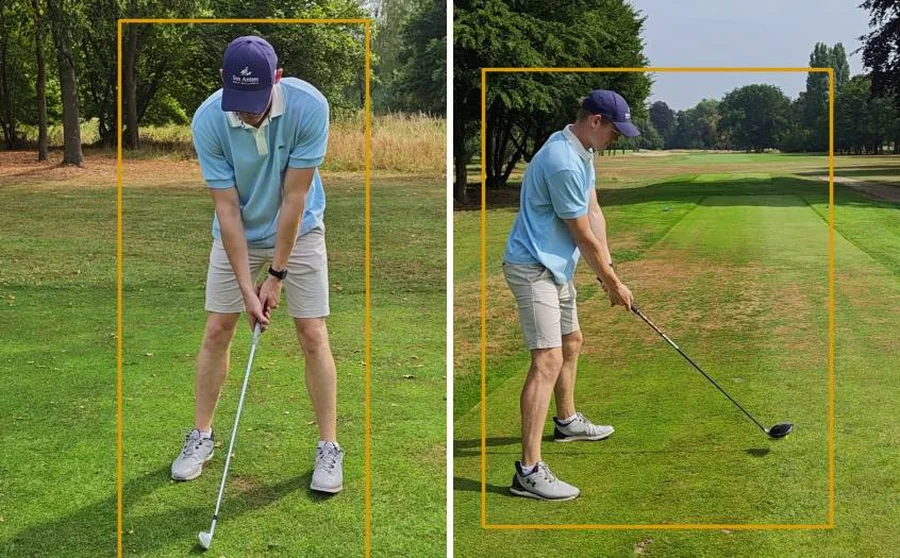
Yes. A phone on a bag is enough.
Who it's for
Alongside your golf pro, not instead of.
Your pro stays the best you can have. Caddium watches along on the days when nobody else is there, so you practise more purposefully between lessons.
Right for you if you
- want to know what to work on between lessons
- film with your phone, without extra equipment
- want one clear point instead of a list
- are right-handed or left-handed
Not meant for
- putts and short wedges
- ball flight and distance; for that you need a launch monitor
- a replacement for your golf professional
Choose your analysis
You buy analyses, not time.
No subscription. Your analyses never expire; use them when you train, even a year from now.
Swing check
For when you want to review one part of your swing again.
- Full analysis with swing score
- Your focus point in view, with a drill
- Video editor for your own swings
- Your analyses stay saved
Caddium progress route
A clear route from your baseline to a stronger swing.
- Everything in Swing Check
- 1 comparison check: your swing next to a swing you upload coming soon
Season pass
For golfers who want to keep tracking their swing through the season.
- Everything in Caddium progress route
- 5 comparison checks: your swing next to a swing you upload, from a golf pro or a friend coming soon
- AI golf coach for your questions coming soon
- Trends: which focus keeps coming back coming soon
Questions
What golfers ask us.
Can't I just use ChatGPT?
A chatbot describes what it thinks it sees. Caddium measures your swing at 33 points, at address, top, impact and finish, and the same way every time. That way you see what really happens, and whether it gets better.
What does the AI add if I can film myself too?
Filming shows what happens, but not what to look for. The AI analyser finds address, top, impact and finish in your video itself, measures 33 points on your body against your own address and picks the one point where you gain the most. Because it measures the same way every time, you also really see whether you're improving.
Do I need special equipment?
No. An ordinary phone is enough, preferably at 60 frames per second. A bag or tripod to rest it on helps.
Do I have to hit a ball?
No. You can also film a practice swing, in the garden, in a net or on a mat. The AI analyser measures your movement, not the ball. When you upload, you tell us you swung without a ball.
How fast do I get my analysis?
Usually within a few minutes. While it's processing you can see which step is running.
Does it work for left- and right-handed golfers?
Yes. Your playing hand is in your profile, so the measurements follow the right arm and the right leg.
Which clubs can I analyse?
For each analysis you say which club you used and the feedback is tailored to it. Putts and wedges fall outside the analysis.
What happens to my video?
Your video is processed securely. Temporary uploads are deleted automatically and you can always delete your video and all generated images yourself.
What if my recording isn't good enough?
Then we tell you and explain what to do differently. A failed analysis isn't deducted from your balance.
Can I follow my progress?
Yes. With an account you save and compare your analyses and your personal focus points.
Does Caddium replace a golf professional?
No. Caddium helps you practise and track more purposefully between lessons, but doesn't replace a personal assessment by a golf professional.
Want to know more about what the AI analyser measures exactly? Read how it works
Film one swing today and see what to practise.
You already have your phone. The AI analyser does the rest.
Analyse your swing